The floor, as it actually is right now
Table management is usually a paper chart that gets rubbed out, or a waiter's memory at 9pm on a Saturday. Here each table is a live card: its number, its seating capacity, how long the current guests have been sitting, what has been ordered and whether a bill has been asked for. A table can be free, occupied, in billing, or disabled when it is out of service.
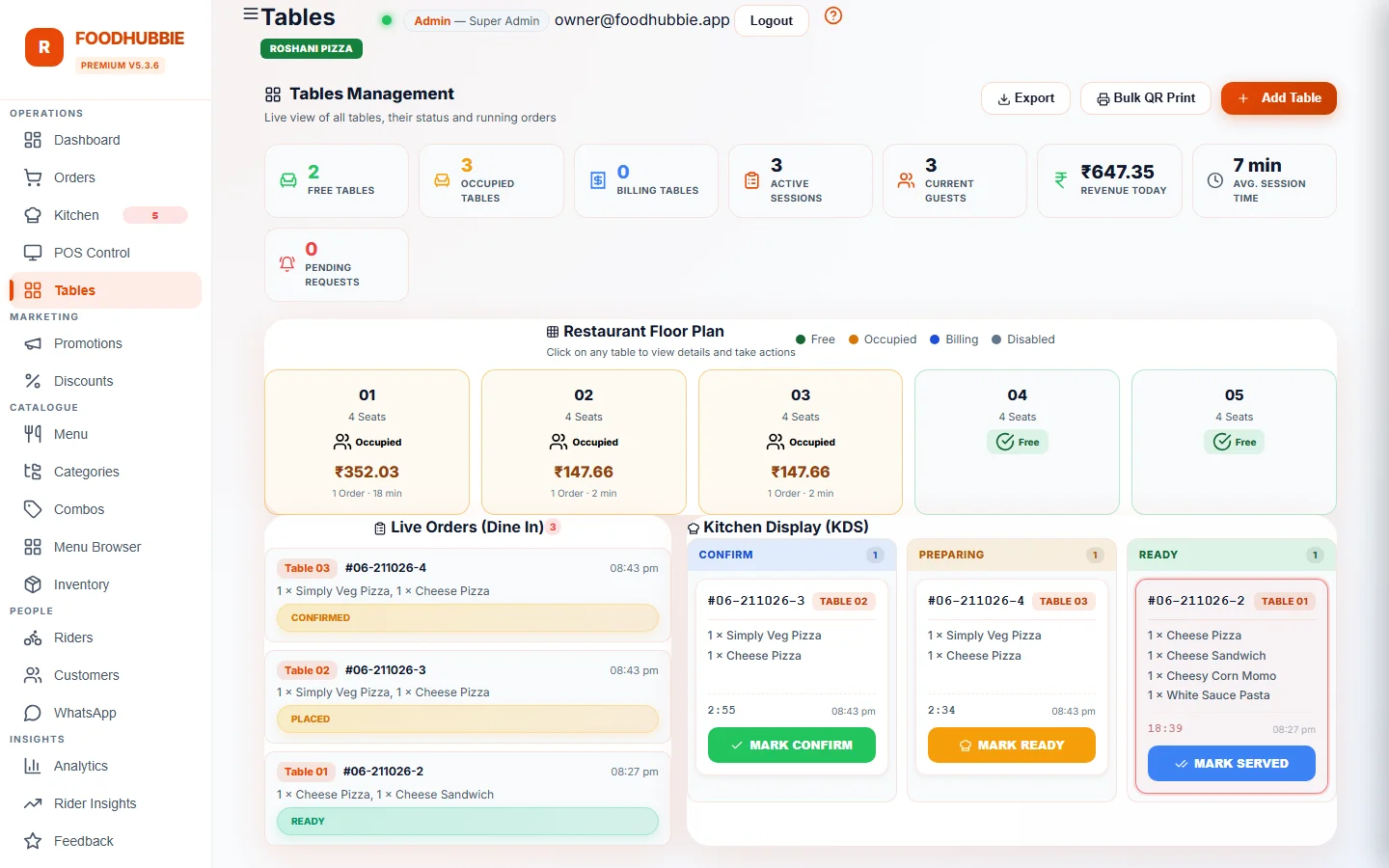
A session per table, not per order
What changes on the floor
Free, occupied, billing and disabled are set by what is happening, not by who remembered to update the chart.
A second round goes onto the same session. The cashier bills one table, not four separate order slips that may or may not belong together.
One table, several bill groups, each settled independently — the dinner that leaves early does not block the rest of the table.
When a guest asks for the bill from their phone, it appears as a banner for staff instead of a raised hand nobody saw.
Sessions expire. Unpaid orders on an abandoned table are cancelled rather than sent to the kitchen late, and the table becomes available again.
Occupancy, open tables and current revenue are read from the sessions themselves — the same totals billing and reports use.
Paper table chart vs a live board
| Paper chart / memory | FoodHubbie table board | |
|---|---|---|
| Is this table free? | Ask the floor staff | Read the status on screen |
| What has the table ordered? | Reconstruct from slips | Attached to the session, item by item |
| Split among two groups | Manual arithmetic at the counter | Separate bill groups per table |
| Table abandoned mid-meal | Stays "occupied" until someone notices | Session expires and the table frees itself |
| Adding a table | Draw it on the chart | Add number and capacity, print its QR |
The guest-facing side of this is QR table ordering; the bill and tax side is POS billing.
Set up the floor in four steps
Table number and seating capacity — that is all the system needs to create a card and a secure token.
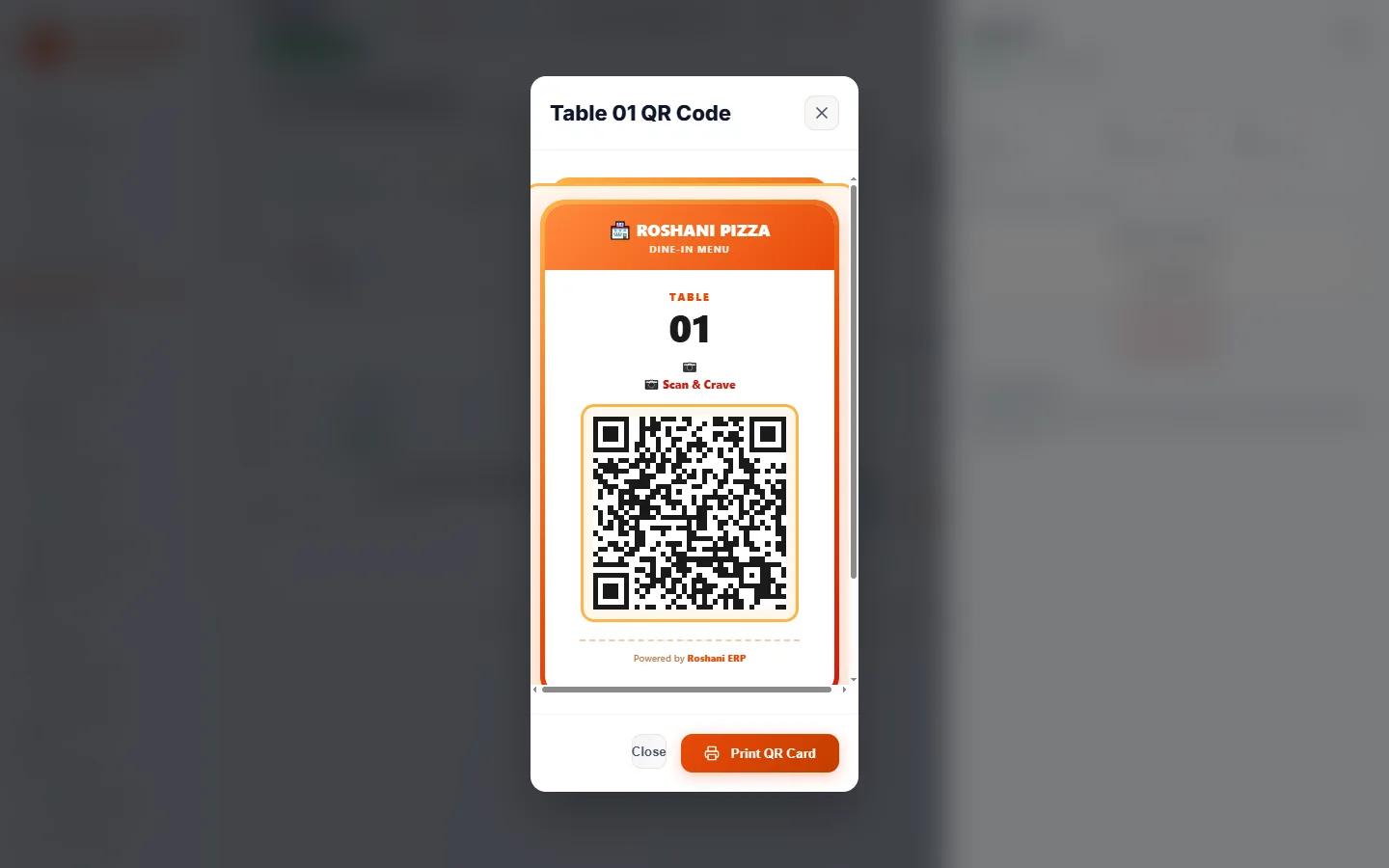
The code is generated from the table's token, so it always opens the menu with that table attached.
Guests scan, order and ask for the bill; statuses and sessions update as they do. Staff toggle a table out of service in one tap when it is broken or reserved for staff.
The cashier settles the bill; the session closes and the table returns to free. If a guest simply leaves, expiry handles it.
Table management questions, answered plainly
What is a restaurant table management system?
It is the screen that shows the state of every table — free, occupied, billing or disabled — together with the orders and bill attached to it. Instead of asking a waiter which tables are open, the host, cashier and kitchen look at the same live board.
Does a table session end by itself if the customer forgets to close it?
Yes. Every session has an expiry. When it passes, unpaid orders on that table are cancelled rather than left pending in the kitchen, the table is freed for the next guest, and the session is saved as expired with its history intact.
Can two groups at the same table get separate bills?
Yes. A table session can hold several bill groups, each with its own items and its own status. One group can be settled while the rest of the table keeps ordering.
How does each table get its QR code?
Every table is created with its own secure token, and the QR code is generated from that token. Scanning it opens the menu with the table number already attached. Deleting a table invalidates its code, so an old printout cannot order into the wrong table.
Do I need a floor plan or special hardware?
No hardware and no floor-plan editor. Tables are managed by number and seating capacity in any browser, and staff update status from the dashboard or a phone. The QR prints are the only physical part.
Run the floor from one screen
Table management is in the standard plan — ₹1–5 per order, ₹500 one-time setup, no add-on module.
Start free trial → WhatsApp us